Have you ever been listening to music on your Pixel Buds Pro 2 and someone starts talking to you? Fumbling to pause your music or pull out an earbud can be awkward. Thankfully, Google has a smart feature called Conversation Detection that solves this exact problem!
This handy feature, available when using your Pixel Buds Pro 2 with a Google Pixel phone, automatically detects when you start speaking. It then instantly pauses your music (or podcast) and switches to Transparency Mode, allowing you to have a clear conversation without touching anything. Once you stop talking, your audio resumes automatically. Pretty neat, right? ✨
If you’re wondering how to turn this feature on, we’ve created a quick and easy step-by-step video tutorial to guide you through the process.
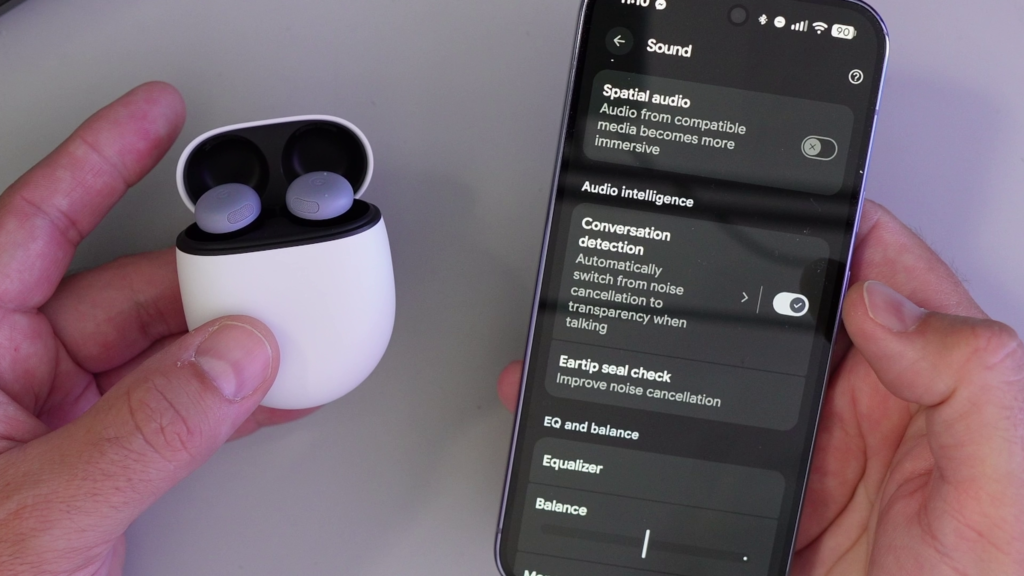
What You’ll Learn in the Video 🔎
Our video gets straight to the point and shows you exactly how to enable this convenient feature. In the tutorial, you will learn:
✅ Where to find the Conversation Detection setting on a Pixel phone.
✅ How to turn the feature on with a single tap.
Watch the full step-by-step guide on YouTube! 👇 https://youtu.be/11KzyhvV-gM
How It Works 🤔
Conversation Detection uses the microphones on your Pixel Buds Pro 2 to listen for your voice. When it detects you speaking, it intelligently adjusts your audio settings for a seamless transition into a conversation. It’s a small feature that makes a big difference in everyday use.
For a clear visual walkthrough of exactly where to find and enable this setting on your Pixel phone, be sure to check out the full video guide!