Are you looking for a high-performance, budget-friendly cooling solution for your next PC build? The Thermalright Frozen Notte 240 Black ARGB V2 has quickly become a favorite for builders who want premium aesthetics without the premium price tag! ❄️✨
In this guide, I’m walking you through a complete installation so you can get your system up and running cool and quiet. 🤫🌬️
Watch the Full Installation Guide 🎥
Sometimes seeing the cables and mounting brackets in person makes all the difference. Check out the full step-by-step video below:
What We Cover in This Tutorial 📝
Installing an All-In-One (AIO) liquid cooler can be intimidating if it’s your first time, but Thermalright has made this process fairly straightforward. In the video, I break down:
- Radiator Preparation: How to properly orient your fans for the best airflow. 🌀
- Mounting for AMD & Intel: Whether you are on AM4/AM5 or Intel LGA 1700/1851, I show you which brackets you need. 🛠️
- The Pump-on-Tube Design: Explaining the unique layout of the Frozen Notte series. 🧪
- Cable Management & ARGB: How to daisy-chain your lighting and where to plug in the 4-pin PWM and 3-pin 5V ARGB headers! 🌈
⚠️ Pro Tip: Hoses and Logo Orientation 🔄
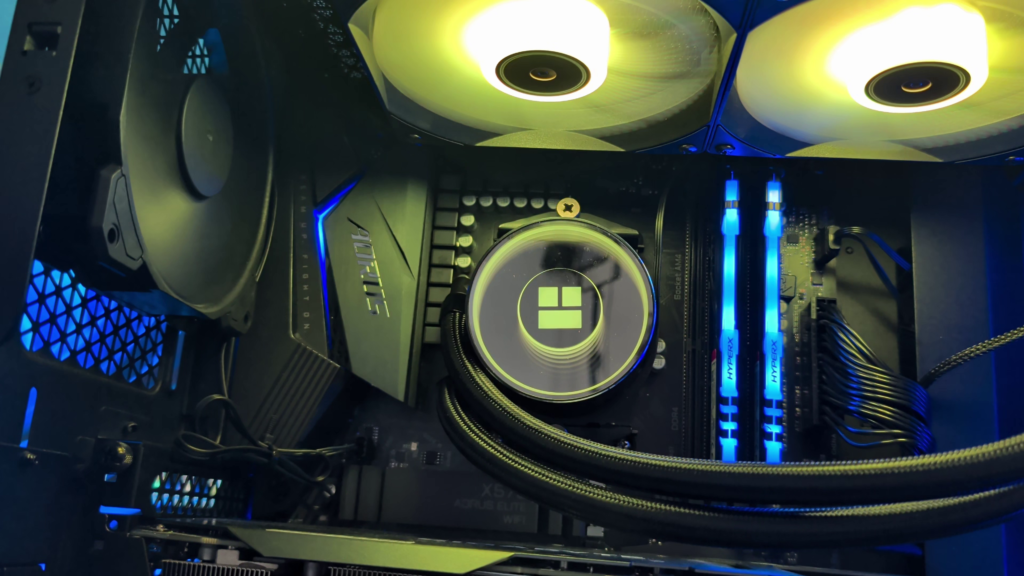
During my install, I chose to mount the water block with the hoses on the left side. I did this specifically to maximize RAM clearance and because I liked the look in my specific case.
Keep in mind: Mounting it this way will leave the Thermalright logo upside down. If you want the logo to be perfectly horizontal and right-side up, you should mount the block with the hoses on the right side of the CPU. 📐
Technical Specifications 🚀
- Fan Speed: Max 2000 RPM (4-Pin PWM) 🏎️
- Bearing Type: SFDB Bearings for long-lasting quiet operation. 💎
- Lighting: 5V 3-Pin ARGB (Supports ASUS Aura Sync, MSI Mystic Light, etc.) 🎨
- Socket Support: Intel 1851, 1700, 1200, 115X | AMD AM5, AM4 ✅
Where to Buy 🛒
If you’re ready to upgrade your CPU cooling, you can pick up the Frozen Notte 240 and the thermal paste I recommend using the links below:
- Thermalright Frozen Notte 240 Black ARGB: View on Amazon 🔗
- Corsair TM30 Performance Thermal Paste: View on Amazon 🔗
As an Amazon Associate, I earn from qualifying purchases. 🤝