Ever wonder what your neighborhood or favorite travel spots looked like ten years ago? It turns out Google Maps has a built-in “time machine” that lets you jump back in time to see historical Street View images. Whether you want to see how a property has changed or watch a massive construction project from the ground up, this hidden feature makes it possible! 🗺️🚀
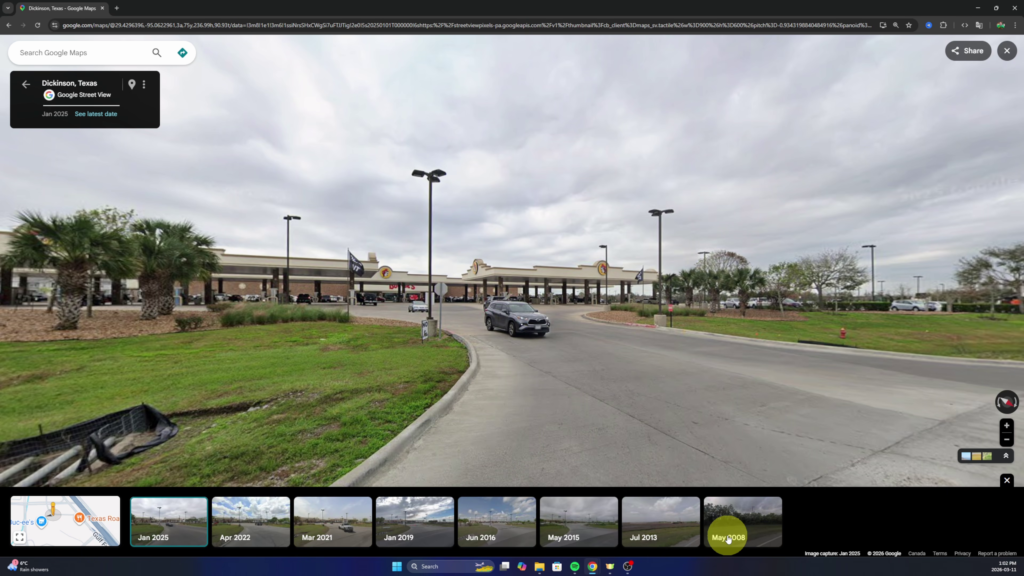
In my latest video, I dive into how this tool works by exploring a few real-world examples, including a massive land development in Texas that went from empty trees to a bustling travel center. 🌳🏗️
How to Use the Google Maps Time Machine ⚙️
The process is actually very simple, but the menu is easy to miss if you aren’t looking for it.
- Drop the “Yellow Guy”: Head over to Google Maps and find the small yellow-orange figure in the bottom right corner. Drag and drop him onto any blue-highlighted road to enter Street View. 📍🚶♂️
- Find the “See More Dates” Option: Once you are in Street View, look for the small box that says “See more dates.” This is where the magic happens! ✨
- Scroll Through History: Clicking this will open a timeline at the bottom of your screen. You can toggle through different years and months to see exactly how that location looked in the past. 📅🤔
Watch the Full Tutorial 🎥
In the video below, I show you how to track the evolution of a business from a field of trees in 2008 to a popular gas station today. It’s a really fun way to see renovations, new builds, or even what your own house looked like years ago! 🏠🙌
WATCH THE VIDEO HERE: How to See Older Google Maps Street View