Looking to modernize the infotainment system in your Toyota RAV4? If you’re still using the factory radio and want a larger display, wireless Android Auto, wireless Apple CarPlay, built-in navigation, and app support, the Roadanvi X14 might be worth a look.
In my latest video, I review the Roadanvi X14 Android Head Unit installed in a Toyota RAV4 and share my thoughts after using it, including what I like, a few things I wish were improved, and whether I think it’s worth the upgrade.
📺 Watch the full video here:
Roadanvi X14 Review for Toyota RAV4 (2019-2022) – The Ultimate Screen Upgrade?
🔗 Check Out the Roadanvi X14 Here on Amazon (Affiliate) https://amzn.to/4ghB4BJ
🛒 Roadanvi Store on Amazon (Affiliate) https://amzn.to/4a1sWSh
🛒 Roadanvi Website: https://www.roadanvi.com/?ref=NorthernViking
🎟️ Use code NVEVERYD for 8% off on Amazon and the Roadanvi website.
🔍 What Is the Roadanvi X14?
The Roadanvi X14 is a replacement infotainment system designed for Toyota RAV4 models from 2019 to 2022. It replaces the factory screen with a larger 12.3-inch QLED touchscreen while adding modern features that many factory systems are missing. The Roadanvi X14 includes a 12.3-inch QLED display, Android 14, 6GB RAM, 128GB storage, Bluetooth 5.2, wireless Android Auto, wireless Apple CarPlay, built-in GPS, and support for 4G/5G LTE SIM cards.
One thing I immediately appreciated was how much larger and more modern the dashboard feels after the upgrade. The larger screen gives the RAV4 a premium look while adding a lot more functionality.
📱 Wireless Android Auto & Apple CarPlay
For me, one of the biggest benefits was wireless Android Auto.
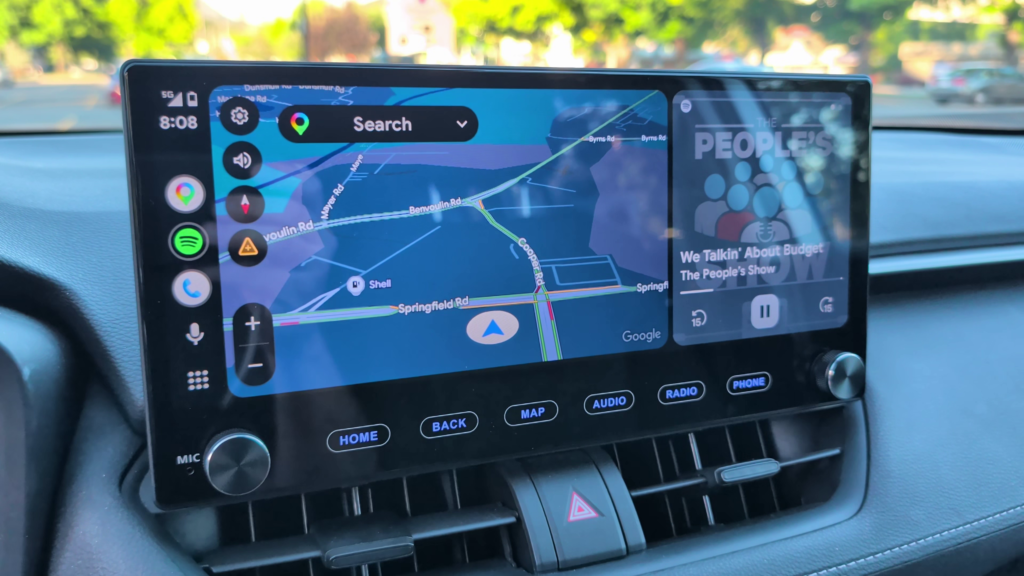
The factory system in my RAV4 only offered wired Apple CarPlay, so having both wireless Android Auto and wireless Apple CarPlay is a major improvement. The system reconnects automatically when the vehicle starts, making it easy to jump right back into navigation, music, podcasts, and messaging.
If you’re already invested in the Google ecosystem like I am, Android Auto works extremely well on the larger display.
🗺️ Navigation & Apps
The X14 comes with built-in GPS and supports Google Maps and Waze, while Android Auto and Apple CarPlay provide additional navigation options.
Because the unit runs Android 14, you can also install apps directly from the Google Play Store. This opens up possibilities for music streaming, navigation, sports scores, and other applications depending on your needs.
🎛️ Physical Buttons Matter
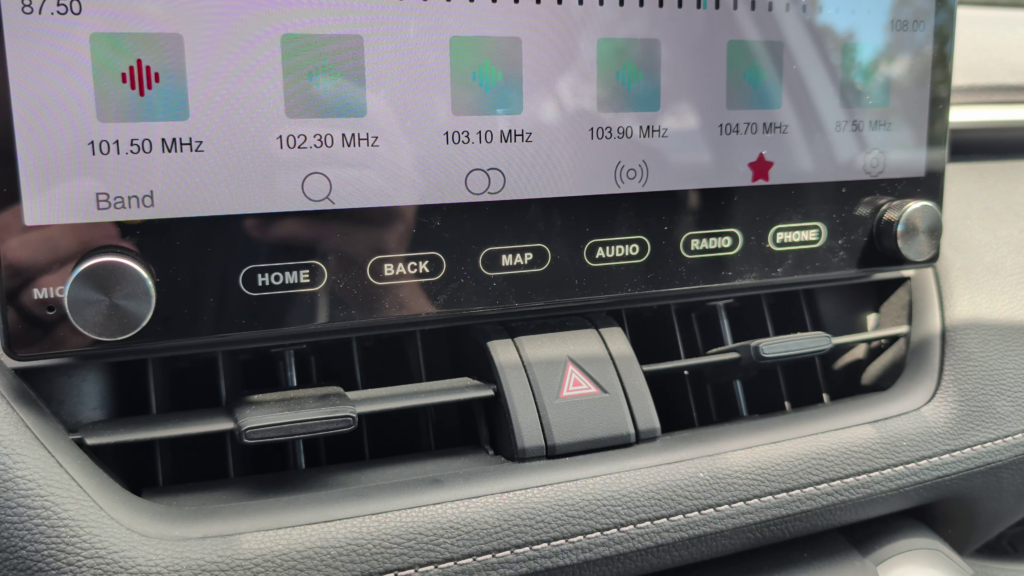
One of my favorite improvements over many touchscreen-only systems is the addition of dedicated physical controls.
The Roadanvi X14 includes:
- Home button
- Back button
- Map button (Navigation)
- Audio button
- Radio button
- Phone Button
- Volume knob
- Forward / Back knob
The volume knob in particular is something I use every day. Being able to quickly adjust the volume or instantly mute audio with a press is a small feature that makes a big difference while driving.
⚙️ Installation Experience
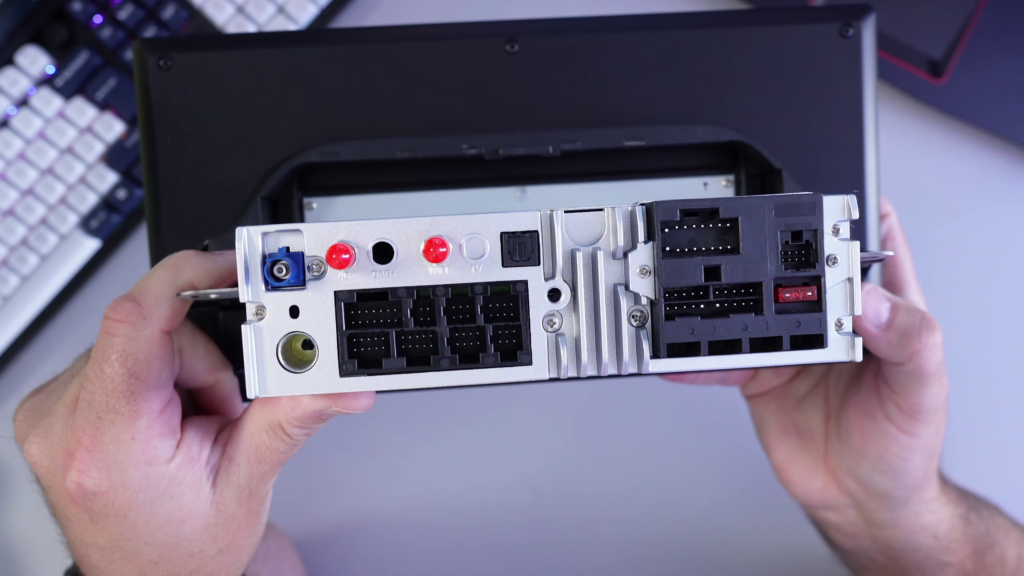
Installation was mostly plug-and-play, although there are quite a few connections involved. Taking your time and reviewing the instructions before starting is definitely recommended.
If you’re comfortable removing trim panels and connecting wiring harnesses, the installation is manageable for many DIY users. In my case, the finished installation retained the factory trim and integrated nicely into the dashboard.
👍 What I Like
After spending time with the Roadanvi X14, some of my favorite features include:
✅ Large 12.3-inch display
✅ Wireless Android Auto & Apple CarPlay
✅ Dedicated physical buttons
✅ Volume knob
✅ Fast startup and responsive performance
✅ Modern appearance
✅ App support through Google Play Store
🤔 A Few Wishes
No product is perfect, and I did have a few wishes after using the X14.
- There is a learning curve if you’re coming from a traditional factory infotainment system.
- Some steering wheel controls required adjustment in the settings.
- I’d love to see Roadanvi produce a more detailed installation video for first-time installers.
None of these were deal breakers for me, but they’re worth knowing before purchasing.
🎥 Watch the Full Roadanvi X14 Review
If you’re considering upgrading your Toyota RAV4 infotainment system, be sure to watch the full video review where I walk through the installation experience, features, performance, likes, wishes, and overall impressions.
📺 Watch Here:
If you enjoy technology tutorials and product reviews, you may also find these guides helpful:
- Watch YouTube in a Floating Window (Picture-in-Picture Mode)
https://northernvikingeveryday.com/watch-youtube-in-a-floating-window/ - How to Set Up a Mac Mini M4
https://northernvikingeveryday.com/how-to-set-up-mac-mini-m4/ - Mac Mini M4 Unboxing – What’s in the Box?
https://northernvikingeveryday.com/mac-mini-m4-unboxing-whats-in-the-box/ - How to Create a Free Outlook Email Account
https://northernvikingeveryday.com/create-free-outlook-email-account/