Want to change the band on your Google Pixel Watch? ⌚ Whether you’re replacing an old watch band or upgrading to something different, it’s easy to remove your existing band and install a new one.
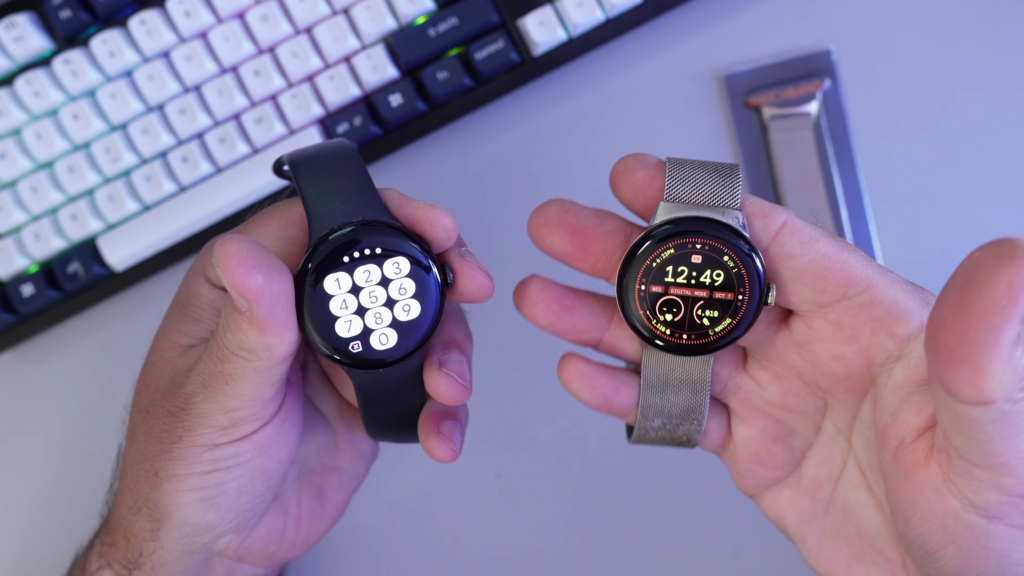
In this tutorial, I’ll show you how to change the band on a Google Pixel Watch, Pixel Watch 2, or Pixel Watch 3. I’m demonstrating the process on my Pixel Watch 2, using both the original silicone band and a metal mesh replacement band.
🎥 Watch the Video Tutorial: https://youtu.be/OXHdolqwI_o
How to Remove a Google Pixel Watch Band
The first step is to remove your existing watch band.
- Locate the small band release button on the back of your Pixel Watch, right next to where the band connects.
- Press down on the release button.
- While holding the button, rotate or slide the band toward the button to release it from the watch.
- Repeat the process on the other side to remove the second half of the band.
In my video, I demonstrate this using the original silicone band and the metal mesh band so you can see how the removal process works.
How to Install a New Pixel Watch Band
Once you’ve removed your old band, you’re ready to install the replacement.
- Position the new band against the connection point on your Pixel Watch.
- Use the band itself to push down the release button.
- Rotate the band into place until it locks securely.
- Repeat the process on the opposite side.
I found that using the band itself to press down the release button makes installation a little easier.
Once both sides are attached, give them a gentle check to make sure they’re securely locked into place. 👍
🛒 Metal Mesh Replacement Band for Google Pixel Watch
In this tutorial, I’m using the Mugust metal mesh replacement band for my Google Pixel Watch 2. If you’re interested in the same band, you can check it out here:
Shop the Mugust Metal Mesh Pixel Watch Band (Affiliate):
https://link.amazon/B0dOw5QAN
Google Pixel Watch Band Compatibility
The same basic removal and installation method works on the original Pixel Watch, Pixel Watch 2, and Pixel Watch 3.
However, you’ll want to make sure you purchase the correct replacement band for your particular watch.
- Pixel Watch 1 and 2: 41mm-compatible bands
- Pixel Watch 3 (41mm): 41mm-compatible bands
- Pixel Watch 3 (45mm): Requires a compatible 45mm band
Final Thoughts
And that’s all there is to it! Changing the band on your Google Pixel Watch is a quick way to give your watch a fresh look or replace a worn-out strap.
Whether you’re using the original silicone band or a metal mesh replacement, the process is essentially the same.
🎥 Watch the Full Tutorial
For a complete demonstration of how to remove and install a Google Pixel Watch band, watch my step-by-step video here: