If you are looking for an easy way to add text to your videos in Windows 11 without spending a dime or dealing with watermarks, you are in luck. Microsoft Clipchamp is built right into your operating system and makes the process incredibly simple.
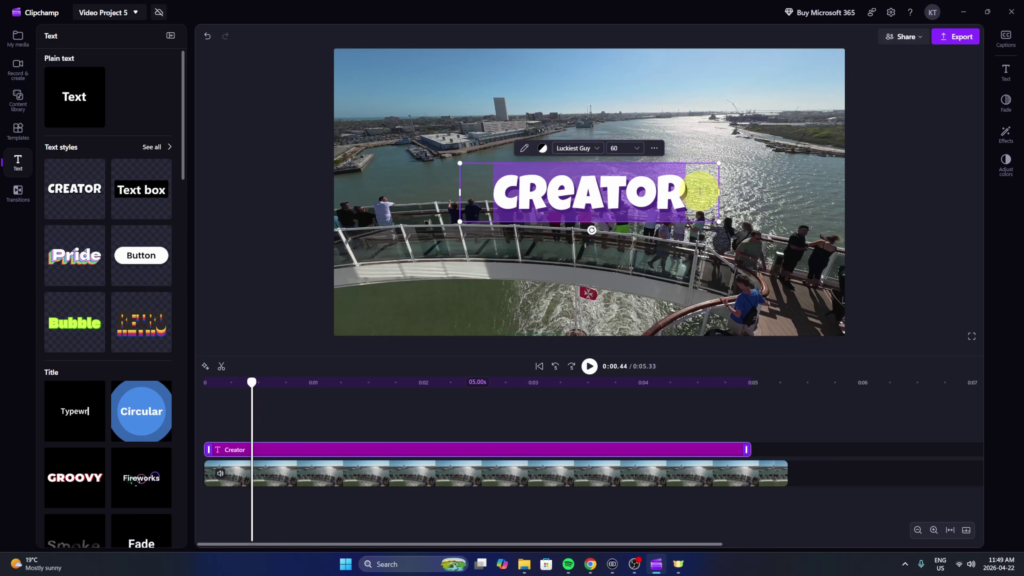
In my latest tutorial, I walk you through the entire process of getting your titles and captions set up.
What You Will Learn:
- 🔍 Finding the App: How to quickly locate Clipchamp on your PC.
- 📏 Aspect Ratios: Choosing the right size for your video projects.
- ⌨️ Adding Text: Browsing through various styles, from basic titles to animated effects.
- 🎨 Customizing: How to change your fonts, colors, and positioning to match your style.
- 💾 Exporting for Free: Saving your final video in 1080p high definition.
This tool is a great option because it is lightweight and does not require any extra downloads. You can check out the full step by step guide here:
Watch the Full Tutorial: https://youtu.be/cD0gqRCREqg